Move an iPhoto library to Immich
Immich can't read an iPhoto library, but it does read photos with XMP sidecars. Export the library here into one folder per Event, with a sidecar next to every photo holding its title, caption, keywords, rating, date and location.
Drop your iPhoto Library folder here
Read in this browser tab. Nothing is uploaded.
On a Mac? Drag the library here from Finder (Pictures folder).
Free: open and browse any library, and export up to 200 photos per library. Nothing is uploaded.
How to move an iPhoto library to Immich
Open the library here
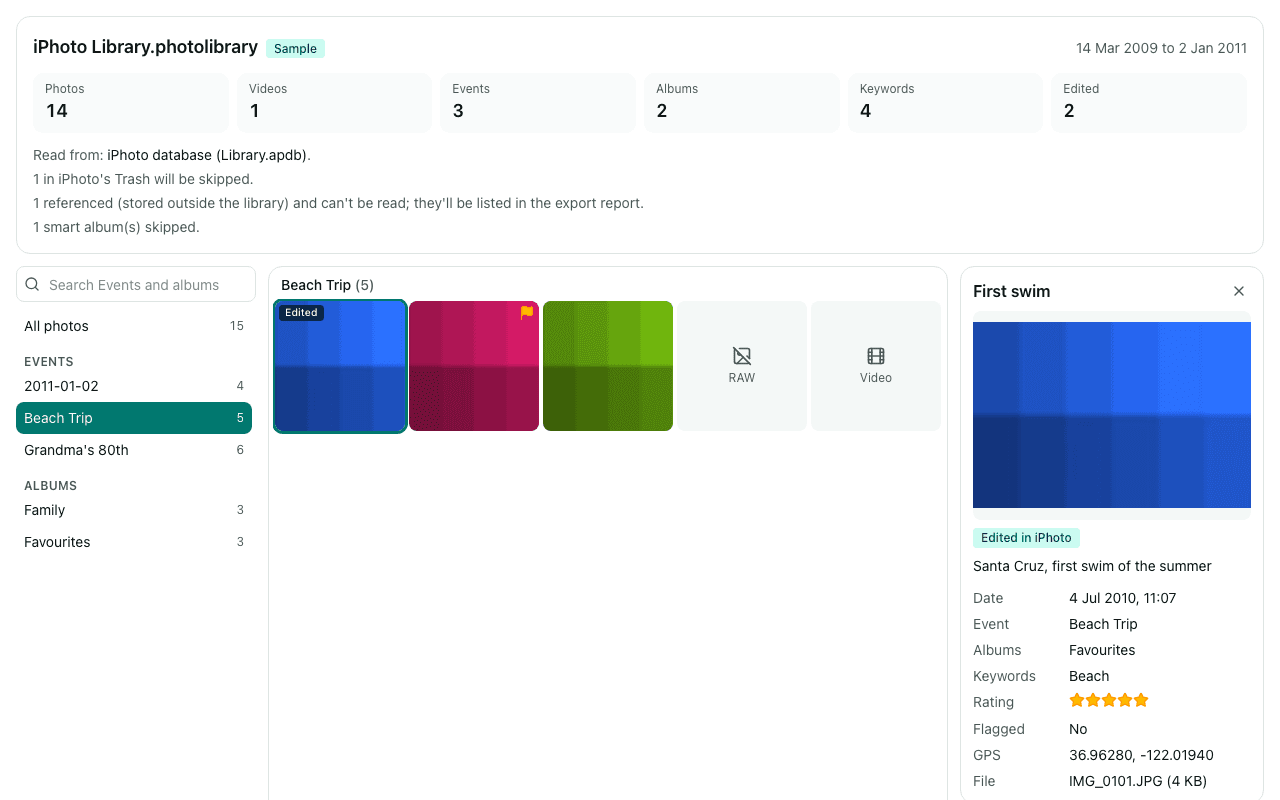
Drag the library onto the box above or click “Choose library folder”. Check the summary: it shows how many photos, Events, albums and keywords were found, and which photos are in iPhoto's Trash and will be skipped.
Export Events as folders, with sidecars
Keep “Events as folders” and “XMP sidecars” on. Each photo gets a sidecar named like IMG_0001.JPG.xmp, a naming Immich recognises. Albums and Events are also written into the sidecar as hierarchical keywords.
Add the folder to Immich
Either point an Immich external library at the export folder, or upload it with the Immich CLI (its album option turns each folder into an album). Immich reads the sidecars as it imports.
Immich's settings and CLI options change between versions, so check its documentation for external libraries and the CLI's upload command before a large import.
What you'll see
Questions
Which details does Immich pick up from the sidecars?
Sidecars carry the title, caption (description), keywords, star rating, date taken and GPS position. Immich reads the description, rating, date and location from XMP sidecars, and recent versions also read keywords as tags. Exactly what is shown depends on your Immich version.
How do I get my Events as albums in Immich?
Upload the export with the Immich CLI and its option to create albums from folder names: each Event folder becomes an album. With an external library you get the folders, and can create albums from them in Immich.
What about faces?
iPhoto's face names aren't exported. Immich runs its own face recognition on the imported photos, so you can name people again there.
Can I export again later without duplicates?
Yes. In Chrome and Edge, exporting into the same folder skips files that are already there with the same size, so a cancelled or partial export just continues.
Are my photos uploaded?
No. The library is read inside this browser tab on your own computer, and the export is written straight to your disk. No photo, file name, caption, keyword or location is sent to us. We only log anonymous counts, such as that a library with between 1,001 and 10,000 photos was opened.
Is it free?
Opening and browsing are free with no limit, and you can export up to 200 photos per library for free. Unlimited export isn't available yet; when you reach the limit, the banner has a link to be told when it is.