Open an old iPhoto library on a new Mac
Recent versions of Apple's Photos app no longer convert old iPhoto libraries, and File > Import brings in the photo files without their Events, albums, keywords or ratings. Drag the library here from Finder to see what's inside and export it into folders named after each Event.
Drop your iPhoto Library folder here
Read in this browser tab. Nothing is uploaded.
On a Mac? Drag the library here from Finder (Pictures folder).
Free: open and browse any library, and export up to 200 photos per library. Nothing is uploaded.
How to open an old iPhoto library on a new Mac
Find the library in Finder
It's usually in your Pictures folder, or on the old Mac's drive or a backup drive, called “iPhoto Library” or “iPhoto Library.photolibrary”. Finder shows it as a single item: that's normal, it's a package (a folder Finder keeps closed).
Drag it onto the box above
The browser may accept the package as a folder. If you see “Show Package Contents” steps instead, right-click the library in Finder, choose Show Package Contents, press Cmd-A to select everything inside, and drag that onto the box.
Export into folders
In Chrome or Edge, pick a folder (for example a new one in Pictures) and the photos are copied into Event folders, each photo with an .xmp sidecar for its title, caption, keywords and rating. Safari and Firefox download ZIP files instead.
Library Rescue only reads the library; it never changes or moves anything in it. Keep the original until you've checked the export.
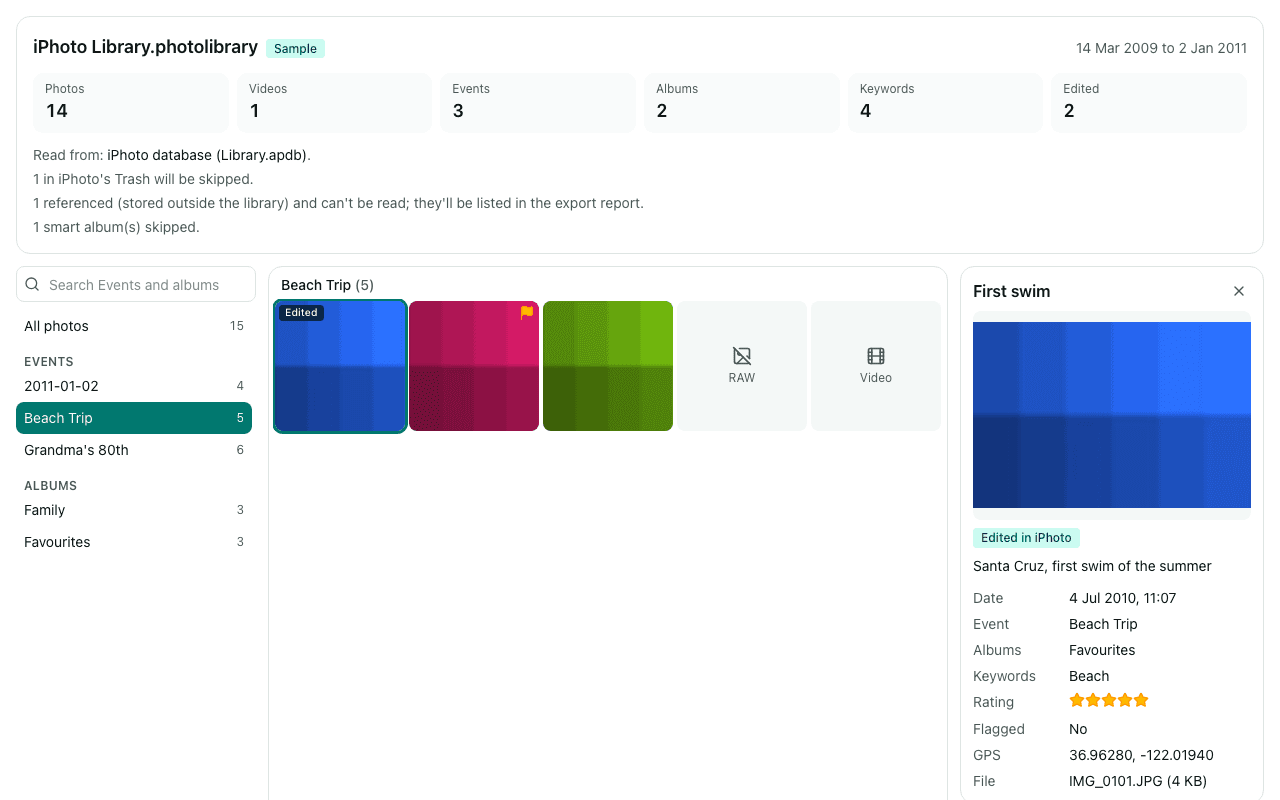
What you'll see
Questions
Why can't Photos open my iPhoto library any more?
Apple stopped supporting the conversion of iPhoto libraries in recent versions of Photos. On Apple's forums, macOS Monterey is usually named as the last version that could still do it. Library Rescue doesn't need Photos or an old Mac: it reads the library's own database in the browser.
Can I put the photos into Apple Photos with my albums?
Library Rescue exports to ordinary folders, not into Photos. You can import the exported Event folders with File > Import in Photos, but the albums won't be recreated for you. If you want the whole library merged into Photos with albums intact, a Mac app such as PowerPhotos is the better fit.
Safari won't let me choose the library. What now?
Safari's folder picker may not let you select a package. Drag the library onto the box instead, or open it with Show Package Contents and drag everything inside it onto the box. Chrome or Edge also let you export straight into a folder rather than ZIP files.
Are edits I made in iPhoto included?
Exports contain the original photo files, as they came off the camera. The “Edited” badge shows which photos were edited in iPhoto. Exporting the edited versions isn't available yet.
Are my photos uploaded?
No. The library is read inside this browser tab on your own computer, and the export is written straight to your disk. No photo, file name, caption, keyword or location is sent to us. We only log anonymous counts, such as that a library with between 1,001 and 10,000 photos was opened.
Is it free?
Opening and browsing are free with no limit, and you can export up to 200 photos per library for free. Unlimited export isn't available yet; when you reach the limit, the banner has a link to be told when it is.