Open an iPhoto library from a Time Machine backup
If the old Mac is gone but its Time Machine drive isn't, your iPhoto library is probably still on it. Find it in Finder, drag it here, and copy the photos out into folders named after your Events, without restoring anything.
Drop your iPhoto Library folder here
Read in this browser tab. Nothing is uploaded.
On a Mac? Drag the library here from Finder (Pictures folder).
Free: open and browse any library, and export up to 200 photos per library. Nothing is uploaded.
How to get an iPhoto library out of a Time Machine backup
Open the backup drive in Finder
Connect the drive and open it in Finder (not the Time Machine app). Older backups are in Backups.backupdb, then your old Mac's name, then a dated folder; newer ones are dated folders ending in .backup. Pick the latest date from when you still used iPhoto.
Go to the Pictures folder
Inside the dated folder, open the disk (such as “Macintosh HD” or “Macintosh HD - Data”), then Users, your old user name, and Pictures. The library is called “iPhoto Library” or “iPhoto Library.photolibrary”.
Drag it here and export
Drag the library onto the box above (or copy it to your Mac first if the backup drive is slow). Then export: each Event becomes a folder with its original photos and an .xmp sidecar for the title, caption, keywords and rating.
Library Rescue only reads from the backup and never writes to it. Export to a different drive, not into the backup.
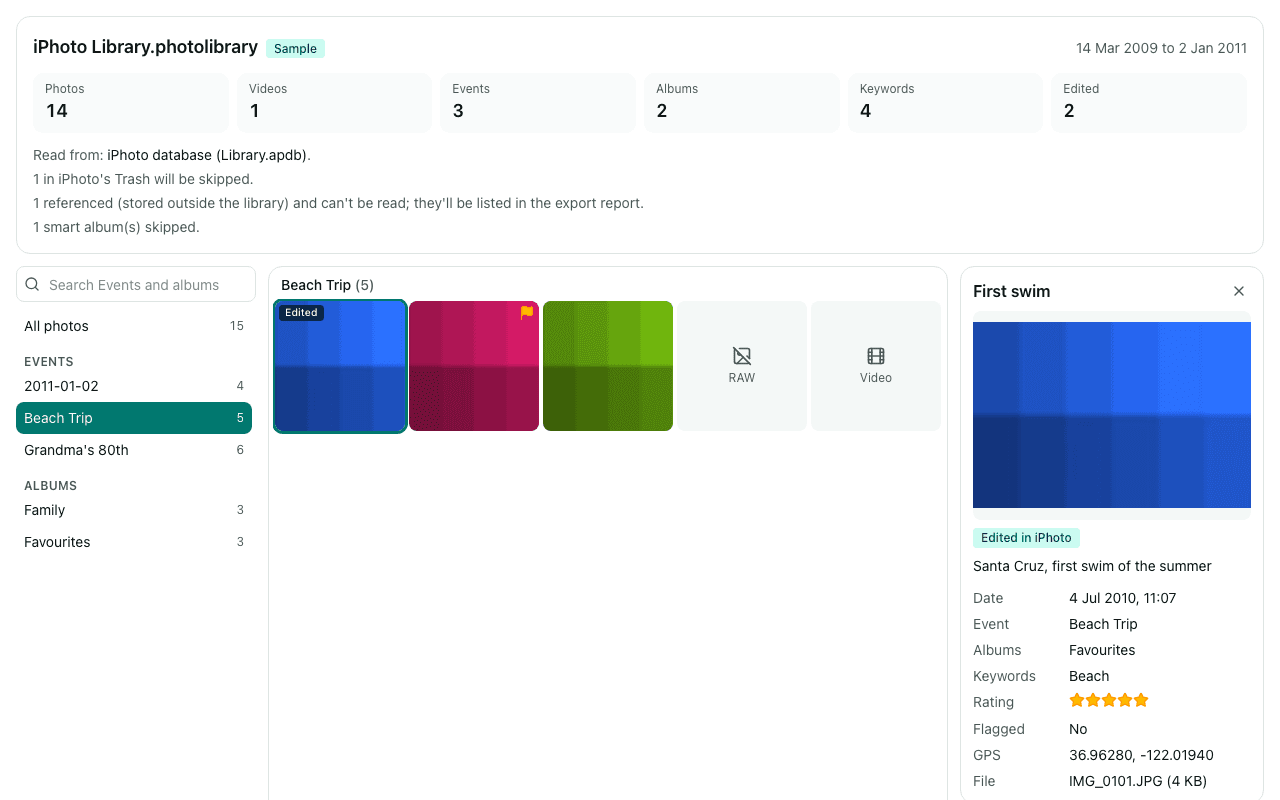
What you'll see
Questions
Can I do this on Windows?
Not directly. Time Machine drives are Mac-formatted (HFS+ or APFS), and Windows can't read them without extra software. The simplest route is to copy the library from the backup onto an exFAT USB drive using any Mac, then open it on Windows in Chrome or Edge.
My backup is on a network drive and shows up as a .sparsebundle file.
Network Time Machine backups are stored as a disk image (.sparsebundle). Double-click it on a Mac to mount it, and the backup appears as a drive you can browse in Finder as described above. A browser can't open the .sparsebundle itself.
Finder shows several dates. Which one should I use?
Use the most recent date from when you still used iPhoto, so it holds your latest Events. If a library looks incomplete, try an earlier date: each dated folder is a complete snapshot, so you can open more than one.
Library Rescue says most photo files are missing.
Some backups exclude parts of a library, or the library kept its photos elsewhere (“referenced” files outside the library). You still get every photo that is in the backup, and the report in the export lists the ones that weren't found, with their original paths, so you can look for them.
Are my photos uploaded?
No. The library is read inside this browser tab on your own computer, and the export is written straight to your disk. No photo, file name, caption, keyword or location is sent to us. We only log anonymous counts, such as that a library with between 1,001 and 10,000 photos was opened.